

Description
Download Blood Pressure Tracker Info APK – blood pressure tracker, heart health, hypertension monitoring, health app, wellness tool, free blood pressure app, monitor blood pressure
Overview
Blood Pressure Tracker & Info is a free mobile application designed to support users in monitoring their cardiovascular health. The app enables individuals to record and track their blood pressure readings, focusing on systolic and diastolic measurements, as well as pulse rate. It is intended for users who wish to maintain an ongoing record of their blood pressure, particularly those managing pre-existing conditions or aiming to adopt healthier lifestyle habits. The developer, Health Apps, has positioned this tool within the Health & Fitness category, aligning it with similar wellness-focused applications like Blood Pressure RT and Blood Pressure Recorder.
Real-world usage scenarios include daily self-monitoring for individuals with hypertension, tracking the effects of dietary or exercise changes, and sharing data with healthcare providers. While the app provides general health advice related to heart wellness, it does not replace professional medical diagnosis. The developer did not provide additional details about the app’s underlying technology or clinical validation. Users are advised to consult a healthcare professional before making health decisions based on app data. The app supports longitudinal tracking, allowing users to visualize trends over time, which may aid in identifying patterns or improvements in cardiovascular health.
Key Features & Capabilities
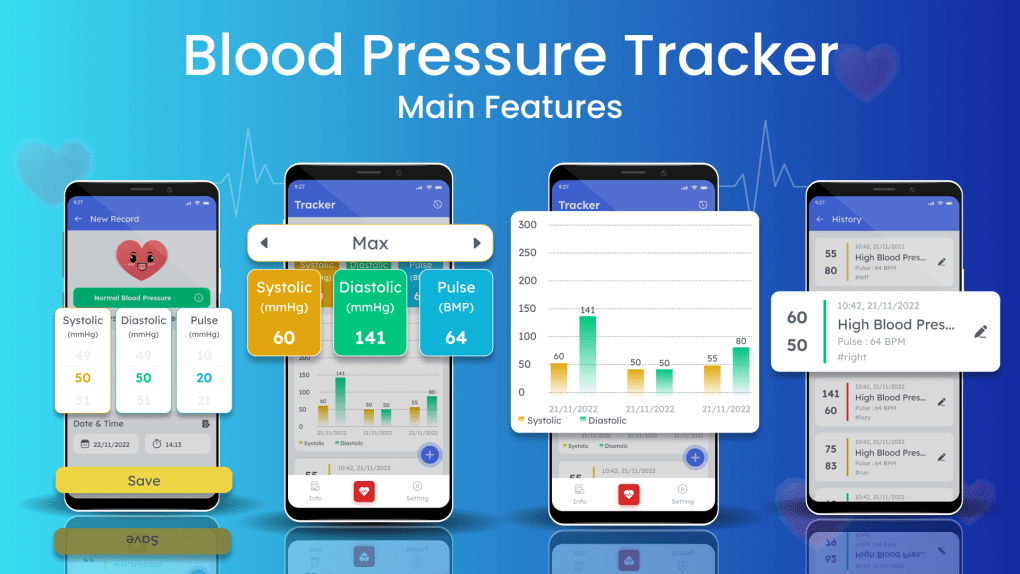
- Systolic and Diastolic Monitoring: The app captures and displays systolic and diastolic blood pressure values, which are standard indicators of cardiovascular health. These measurements are essential for assessing heart function and detecting potential hypertension.
- Pulse Rate Tracking: In addition to blood pressure, the app records pulse rate, offering a more comprehensive view of heart activity. This data can help users identify irregularities or changes in heart rhythm.
- Longitudinal Data Storage: Users can save readings over time, enabling them to review historical data and detect trends. This feature supports lifestyle management by showing how habits may influence blood pressure levels.
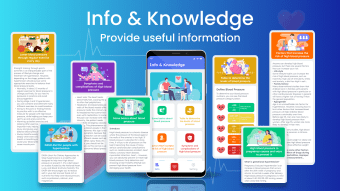
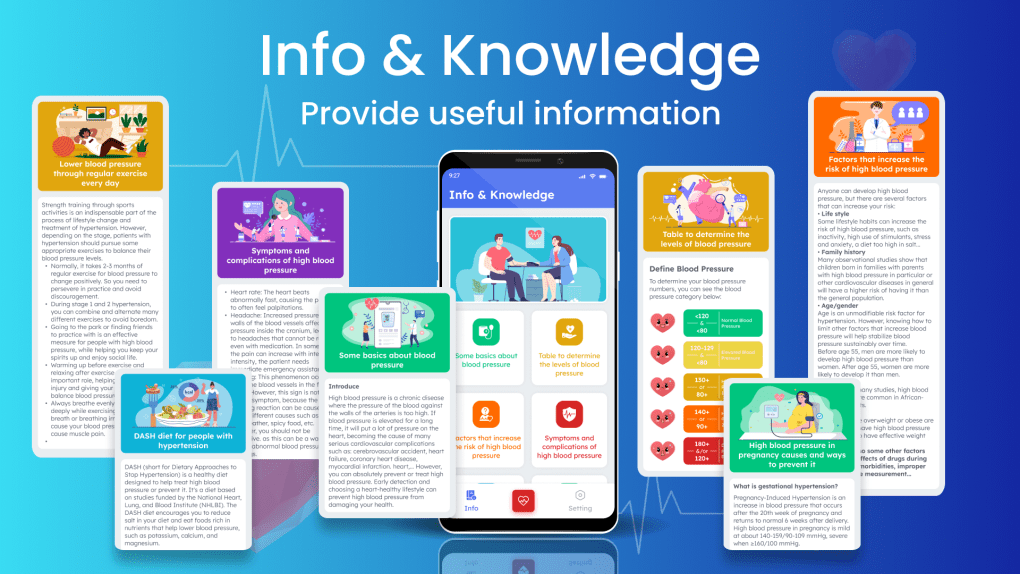
- Health and Wellness Advice: The app includes general recommendations related to heart health, such as dietary tips and activity suggestions. These are intended to complement professional medical guidance.
- Data Sharing Capability: Recorded data can be transferred to other devices when needed, facilitating communication with healthcare providers or family members involved in personal health management.
These features are designed to support proactive health monitoring. For example, a user tracking their blood pressure after starting a new workout routine can compare pre- and post-exercise readings to assess the impact. Similarly, someone managing hypertension may use the app to monitor fluctuations and share insights with their doctor. The app does not include automated alerts or integration with wearable devices, and the developer did not specify data encryption or cloud storage methods.
User Interface, Workflow & Performance
The user interface appears to be designed with simplicity in mind, focusing on clear data presentation. Users are likely guided through a straightforward workflow: launch the app, initiate a reading, view results, and save the entry. The app’s navigation is expected to be minimal, with key functions accessible from a central dashboard. However, the developer did not provide detailed information about the UI layout, interaction design, or accessibility features.
Performance behavior is not specified in the provided materials. Based on general patterns for lightweight Android applications, the app is expected to operate efficiently on modern devices. The installation size is 15.5 MB, suggesting a compact footprint that should not strain device storage. The developer did not specify resource usage details such as CPU or RAM consumption. Stability and responsiveness during data entry and retrieval are assumed to be consistent with standard app behavior, though real-world testing was not included in the input. No performance benchmarks or user-reported lag issues were mentioned.
Compatibility & System Requirements
Blood Pressure Tracker & Info is designed for Android operating systems. The current version is 1.2, released on March 15, 2024. The app has a file size of 15.5 MB, which is relatively small and suitable for devices with limited storage capacity. The developer did not specify minimum Android version requirements or hardware specifications such as RAM or processor type.
Compatibility information is limited. Users should ensure their device runs a supported version of Android, though the exact range is not provided. Installation is expected to be straightforward via APK file, as noted in the product title. The app does not appear to require a constant internet connection for core functionality, but data sharing features may depend on connectivity. No information was provided about support for tablets, wearables, or other form factors.
Pros and Cons
Pros
- Free to download and use with no in-app purchases
- Compact file size (15.5 MB) suitable for low-storage devices
- Simple interface focused on essential blood pressure metrics
- Supports long-term tracking of systolic, diastolic, and pulse data
- Includes general health advice for heart wellness
- Data can be shared across devices when needed
Cons
- Developer did not provide system requirements or compatibility details
- No information on data encryption or privacy safeguards
- Does not appear to integrate with wearable devices or health trackers
- App lacks automated alerts or reminders for regular monitoring
- Not intended as a medical diagnostic tool
FAQ Section
Is Blood Pressure Tracker & Info compatible with all Android devices?
The app is designed for Android, but the developer did not specify minimum OS version or hardware requirements. Users should ensure their device supports APK installation and runs a compatible Android version.
Is the app safe to use for medical purposes?
Blood Pressure Tracker & Info is not a medical device or diagnostic tool. It provides general health tracking and advice, but users should consult a healthcare professional for medical evaluation and treatment.
How often can I update the app?
Updates are released by the developer when new features or improvements are available. The current version is 1.2, released on March 15, 2024. Users should check for updates through official distribution channels.
Does the app require an internet connection?
Core functionality such as recording and viewing blood pressure readings can be performed offline. However, data sharing and access to health advice may require an internet connection.
Can I use this app without a blood pressure monitor?
No. The app requires external blood pressure measurement data, which must be manually entered. It does not include built-in sensors or measurement hardware.
Final Thoughts + CTA
Blood Pressure Tracker & Info offers a straightforward, free solution for individuals seeking to monitor their cardiovascular health on a daily basis. Its lightweight design, simple interface, and focus on core metrics make it accessible to users of varying technical experience. While it lacks advanced features like automated alerts or device integration, its ability to store and visualize long-term data adds value for those managing hypertension or adopting healthier habits.
For users who want a no-cost, easy-to-use tool for tracking blood pressure and receiving general wellness guidance, this app presents a practical option. However, it should be used as a supplementary resource, not a replacement for professional medical care. The absence of detailed system requirements and privacy disclosures is a noted limitation, but the app’s free status and compact size mitigate some concerns.
Download Blood Pressure Tracker Info APK now
Guides & Tutorials for Blood Pressure Tracker Info APK
How to install Blood Pressure Tracker Info APK
- Click the Preview / Download button above.
- Once redirected, accept the terms and click Install.
- Wait for the Blood Pressure Tracker Info APK download to finish on your device.
How to use Blood Pressure Tracker Info APK
This software is primarily used for its core features described above. Open the app after installation to explore its capabilities.
User Reviews for Blood Pressure Tracker Info APK 0
No reviews found





